

Sim Lim Square Essentials List: What Every Tech Shopper Needs
TL;DR:
- Walking into Sim Lim Square without a plan can lead to frustration due to its vast array of electronics and hardware.
- Prioritize your shopping list by setting a budget, identifying your main needs, and verifying warranty terms with each vendor beforehand.
- Focusing on essential categories like PC components, cables, and accessories on specific floors can optimize your visit and ensure better support for your purchases.
Walking into Sim Lim Square without a plan is like opening a hardware store catalog and trying to memorize every page. The mall spans six retail levels and a basement, stocking everything from bare-bones USB cables to top-tier gaming rigs, professional audio gear, and hard-to-find PC components. For tech-savvy shoppers who want real value and zero regret, knowing what belongs on your essentials list before you arrive is the difference between a productive run and a frustrating afternoon. This guide lays out a structured, experience-backed approach to building that list for 2026.
Table of Contents
- How to prioritize your Sim Lim Square shopping list
- Must-have gadgets: The Sim Lim essentials shortlist
- Comparing essentials: Side-by-side guide for tech buyers
- Where to buy: Navigating Sim Lim’s best stores for essentials
- What most Sim Lim Square checklists miss: Our hard-won lessons
- Plan your perfect Sim Lim Square run next
- Frequently asked questions
Key Takeaways
| Point | Details |
|---|---|
| Set clear priorities | Know your must-haves and budget before arriving to avoid decision fatigue. |
| Essentials shortlist | Focus on top categories like smartphones, PC parts, wearables, and reliable accessories. |
| Compare before buying | Use side-by-side tables to choose the best option based on warranty, price, and versatility. |
| Shop by floor | Map your list to the right levels for specialized items and trustworthy stores. |
| Check warranties | Always confirm warranty coverage for big-ticket electronics and ask for official documentation. |
How to prioritize your Sim Lim Square shopping list
Now that you’ve seen why a plan is essential, let’s break down how to actually set your own priorities before you shop.
The first step is simple but often skipped: define your budget before you walk through the door. Sim Lim Square has gear at every price point, and without a ceiling, it’s easy to overspend on flashy products when a mid-tier option would serve you just as well. Set a hard number for big-ticket items like laptops and phones, and leave a separate smaller budget for accessories and cables.
Next, identify your shopping intent. Are you upgrading your home workstation? Building a gaming PC from scratch? Looking for reliable wearables? Or just hunting for cables and adapters you can’t find easily at a regular mall? Understanding your shop types for smart shopping changes which floors you should prioritize and which vendors are worth your time. Specialty component shops serve a very different customer than the general-purpose gadget retailers near the entrance.
Here’s a quick priority framework to use:
- Immediate needs first. If your laptop charger died last night, that’s a Day 1 priority. Don’t let optional upgrades push critical purchases off your list.
- Know your upgrade cycle. Latest-gen processors and RAM are compelling, but if your current setup handles your workload, accessories often deliver better value per dollar.
- Repair services are underrated. Many shoppers overlook the repair floors entirely. If a device is underperforming rather than dead, a quick professional check at SLS is often faster and cheaper than buying new.
- Test before you commit. Unlike online shopping, Sim Lim Square lets you physically inspect and test products before paying.
One area that catches shoppers off guard is warranty coverage. The shop categories for tech bargains guide is helpful here, but you also need to verify at the shop level. As one long-running community guide notes, buying from non-official channels inside SLS can complicate warranty expectations for smartphones and tablets, so always verify warranty terms per shop and per product before handing over your money.
Pro Tip: Ask every seller for official warranty documentation in writing and cross-check the serial number if possible. A legitimate vendor won’t hesitate.
Must-have gadgets: The Sim Lim essentials shortlist
With your priorities set, here’s what we and most experienced shoppers consider the true essentials in Sim Lim Square right now.
Retail shops offer core electronic products and devices that experienced shoppers treat as non-negotiable on any SLS visit. These fall into clear categories:
- Smartphones and tablets. Mainstream Android flagships from Samsung and Xiaomi, plus selected iPhone SKUs, are consistently stocked and often priced competitively against authorized retailers, especially for older models with stock to clear. Always verify warranty terms here.
- Laptop and PC components. This is where Sim Lim genuinely shines. RAM upgrades, SSDs (both SATA and NVMe), CPUs, and motherboards are available from multiple vendors, giving you real room to compare pricing on the spot. Brands like Kingston, Corsair, Samsung, and WD are common finds.
- Wearable tech. Smartwatches from brands like Garmin, Samsung, and Apple, plus wireless earbuds from Sony, Jabra, and Bose, make up a strong wearables selection across several stores.
- Chargers, connectors, and cables. This is a goldmine. Singapore uses the Type G three-pin plug, and SLS carries a wide variety of locally compatible chargers, USB-C hubs, multi-port adapters, and travel adapters. Far easier to find the right spec here than at a general electronics shop.
- Portable storage. USB-C flash drives, portable SSDs, and high-speed SD cards (essential for content creators) are widely available and easy to price-compare between vendors.
- Accessories and peripherals. Mechanical keyboards, gaming mice, monitor arms, and laptop cooling pads round out a great accessories haul.
For the sharpest prices and best curated picks, check the local gadget picks guide and cross-reference with current top tech deals before visiting. Deals shift frequently, so a pre-visit check is always worth the five minutes.
Pro Tip: Accessories and cables are low-risk purchases with minimal warranty headaches. Save your scrutiny budget (time and energy) for smartphones, tablets, and laptops where after-sales support actually matters.
Comparing essentials: Side-by-side guide for tech buyers
Once you know which essentials to seek, a quick comparison will help you match their strengths to your specific needs.
Not every product category works the same way at Sim Lim Square. Price advantage, warranty ease, and how simple it is to get support after purchase vary significantly between item types. Here’s a side-by-side breakdown based on popular electronics and accessories shoppers commonly consider:
| Category | Price advantage | Warranty ease | Upgradability | After-sales risk | Best for |
|---|---|---|---|---|---|
| Smartphones and tablets | Moderate | High scrutiny needed | Low | Medium to high | Deal hunters who verify first |
| Laptops | Good | Check per vendor | High | Medium | Buyers prioritizing local support |
| PC components (RAM, SSD, CPU) | Excellent | Generally straightforward | Very high | Low | Builders and upgraders |
| Wearables | Moderate | Varies by brand | Low | Low to medium | Gifting or personal upgrade |
| Cables and adapters | Excellent | Minimal concerns | Not applicable | Very low | Everyone |
| Portable storage | Excellent | Straightforward | Not applicable | Low | Creators and students |
| Repair services | Cost-effective | Service guarantee varies | Dependent on device | Low if vetted | Owners of aging devices |
“When you’re torn between two similar laptops at SLS, always ask which one has a local service center and what the turnaround time is. The one with faster local support is almost always the smarter buy, even if it costs slightly more.” — Experienced SLS regular, via community forum
The table above makes one pattern obvious: PC components and accessories deliver the strongest combination of price advantage and low after-sales risk. Smartphones sit at the opposite end, requiring the most due diligence. For first-time shoppers, starting with cables, adapters, or PC components is the low-stress way to get comfortable with the SLS shopping dynamic before moving up to higher-risk purchases.
When buying a laptop specifically, prioritize upgradability (can you add RAM or swap the SSD later?) and confirm that a local service center exists for the brand you’re buying. A laptop you can’t get serviced locally in Singapore is a liability, not a bargain, regardless of how good the initial price looks.
Where to buy: Navigating Sim Lim’s best stores for essentials
With your checklist and product priorities in hand, here’s how to find the best stores for each item inside Sim Lim Square.
Knowing the right floor for your specific need saves you significant time. SLS has a loose but consistent layout logic that seasoned shoppers use to route their visits efficiently. The floor-by-floor shopping guide is the definitive resource, but here’s a quick orientation:
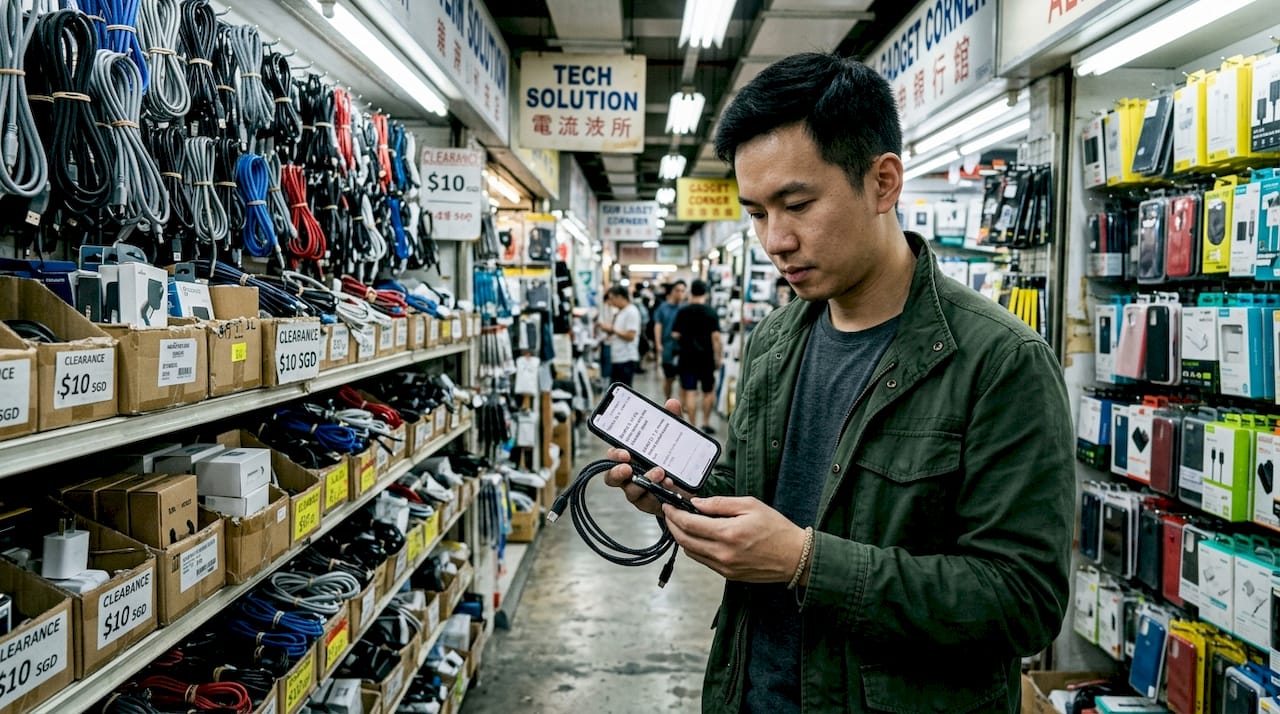
- Basement 1. Dense with mobile accessories, cables, chargers, and adapters. Great starting point for low-cost, low-risk purchases. Multiple vendors create real pricing competition.
- Level 1. Flagship-style shops and higher-footfall retailers. Strong for smartphones, tablets, and mainstream gadgets with more visible inventory.
- Level 2. Mix of mobile shops and computer peripheral retailers. Good for wearables, audio gear, and accessories.
- Level 3 to 4. PC components, laptops, and specialty hardware. This is where serious builders spend most of their time.
- Level 5 to 6. Repair service options and specialty component shops. If your device needs professional attention, these floors are where to go.
Here’s a quick reference for matching your essentials to the right floor:
| Essential category | Best floors | Key advantage |
|---|---|---|
| Cables and adapters | Basement 1 | Highest density, easiest price comparison |
| Smartphones and tablets | Level 1 | More official-looking storefronts, visible stock |
| PC components | Level 3 to 4 | Specialist vendors, technical advice available |
| Audio and wearables | Level 2 | Multiple brands, demo units often available |
| Repair services | Level 5 to 6 | Specialist technicians, turnaround quotes on the spot |
The curated list of essential product categories available in SLS’s retail stores reflects the same floor logic. Ground and lower levels handle volume and accessibility; upper levels reward shoppers willing to explore.
Pro Tip: Before committing to a vendor, take a quick look at the review boards posted at shop entrances or check online for store reputation. A vendor confident in their service keeps their feedback visible.
What most Sim Lim Square checklists miss: Our hard-won lessons
Here’s our honest look at where shoppers get tripped up, plus the strategies that actually separate a great haul from a mediocre one.
Most essentials lists you find online focus almost entirely on hardware specs and pricing. They tell you to buy a specific SSD model or a particular set of earbuds. What they almost never mention is after-sales infrastructure, and this is where most disappointments begin. A gadget without accessible local repair support or a clear upgrade path is a ticking clock, not a smart buy.
The real value of building your best product categories checklist isn’t just knowing what to buy. It’s knowing which purchases have an ecosystem of support behind them in Singapore specifically. A laptop with a local service center, a RAM kit from a brand that offers direct exchange warranties, and a cable from a vendor you’ve bought from before all deliver more long-term value than a random stack of cheap deals.
Here’s something experienced locals do that almost no guide mentions: they use small, low-risk purchases to test vendor trustworthiness before committing to anything expensive. Buy a cable or a USB hub from a new shop. See how the transaction goes. Is the vendor transparent about specs? Do they try to upsell aggressively? Did the price quoted match what was on the receipt? That information is worth far more than any review you read online.
Combining your essentials run with a repair services visit is another underused move. If you have a phone with a degraded battery or a laptop running slow, bring it. Repair shops on the upper floors can often give you a same-visit diagnosis and quote. You might leave with both a new SSD and a repaired device for less than the cost of a single new laptop.
Finally, build relationships with two or three vendors across multiple visits. Becoming a recognizable regular at a shop changes the dynamic entirely. Vendors share insights about upcoming stock, offer better bundle pricing, and are more likely to go the extra step on warranty issues. In a market where trust is hard to establish quickly, consistency pays off.
Plan your perfect Sim Lim Square run next
Ready to tackle Sim Lim Square with your essentials list? Here’s where to map out your stops and prep for the best deals.
Sim Lim Square Insider has the most detailed floor-by-floor breakdown available for Singapore shoppers who want to go in prepared.
Start with the Basement 1 stores directory to map out your cable and accessory stops, then cross-reference Level 2 tech deals for wearables and audio gear. The full Sim Lim Square Insider site covers every level with store listings, deal alerts, and community-sourced tips that get updated regularly. Whether you’re a first-time visitor or a seasoned SLS regular looking to optimize your route, the site gives you the structured, local-first context you need before your next visit.
Frequently asked questions
Are all Sim Lim Square retailers authorized for warranty purposes?
No, not every shop offers official brand warranties. As warranty guidance notes, buying from non-official channels inside SLS can complicate warranty expectations for smartphones and tablets, so always verify terms per shop before purchasing.
Which Sim Lim Square levels are best for gadget essentials?
Basement 1 and Level 2 are strong for mainstream gadgets and accessories, while upper levels focus on specialty components and repair services. The SLS product category overview breaks this down clearly by store type.
What electronic items are safest to buy at Sim Lim Square?
Accessories, cables, and PC components are generally low-risk with straightforward warranties. Core electronic products like smartphones require closer scrutiny of return and warranty policies before purchase.
How do I spot trustworthy vendors?
Look for clearly posted warranty terms, visible customer review boards at the shop entrance, and vendors who specialize in a specific product category rather than stocking a broad mix of everything.
Recommended
- Explore Sim Lim Square Shop Categories for Tech Bargains – Sim Lim Square Insider
- How to find the best tech deals at Sim Lim Square – Sim Lim Square Insider
- Best gadget shops at Sim Lim Square: Local picks and tips – Sim Lim Square Insider
- Electronics store types at Sim Lim Square for smart shopping – Sim Lim Square Insider