

IP Cameras: The 2026 Buyer's Guide for Home and Business
IP cameras are digital surveillance devices that transmit video over a TCP/IP network rather than through analog cables, and they have largely replaced traditional CCTV in both homes and small businesses. The first IP camera, the AXIS Neteye 200, was released in 1996 by Axis Communications. Three decades later, the technology looks nothing like that original single-frame device. Modern units deliver 2K to 4K resolution, AI-powered analytics like person and vehicle detection, night vision, and two-way audio, all accessible from a smartphone anywhere in the world.
Here is what separates IP cameras from analog CCTV at a glance:
- Resolution: 2MP (1080p) to 8MP+ (4K), versus the blurry 480p typical of older analog systems
- Transmission: video travels over your existing Ethernet or Wi-Fi network, no coaxial cable required
- Connection types: wired Power over Ethernet (PoE) or wireless Wi-Fi
- Storage: local NVR, microSD card, or cloud subscription
- Smart features: motion alerts, facial recognition, object detection, remote live view
- Offline capability: cameras record locally without internet, but remote access and cloud features require a connection
Brands like Axis Communications, Hikvision, Reolink, and Arlo each occupy a distinct slice of this market, from enterprise-grade analytics to affordable plug-and-play home kits.
How do the top IP camera brands compare?
Several brands dominate the U.S. market. Each targets a different buyer, and the differences go well beyond price.

| Brand | Best For | Connection Type | Resolution Options | Storage Type | Key Features | Price Range |
|---|---|---|---|---|---|---|
| Axis Communications | Enterprise and professional surveillance | Wired PoE | 2MP–4K+ | Local NVR, cloud | Advanced AI analytics, high reliability, ONVIF compliance | $$$$ |
| Hikvision | Commercial and residential use | Wired PoE, Wi-Fi | 2MP–4K | Local NVR, cloud | Strong night vision, deep learning analytics, broad model range | $$ |
| Dahua Technology | Outdoor and industrial environments | Wired PoE, Wi-Fi | 2MP–4K | Local NVR, microSD, cloud | Durable weatherproof builds, high video quality, AI perimeter protection | $$ |
| Reolink | Home and small business | Wired PoE, Wi-Fi | 2MP–4K | Local NVR, microSD, cloud | Easy setup, affordable, solar-powered options | $ |
| Arlo | Wireless home security | Wireless Wi-Fi | 2K–4K | Cloud, SmartHub flash drive | Battery or wired, smart home integration, color night vision | $$–$$$ |
Axis Communications sits at the top of the professional tier. Its cameras are built for continuous, high-stakes monitoring, and the AI analytics go beyond basic motion detection into license plate recognition, people counting, and behavioral analysis. The price reflects that depth. A single Axis unit can cost several hundred dollars before installation, so this brand makes most sense for businesses that need forensic-quality footage or integration with a larger video management system.
Hikvision offers the widest model range of any manufacturer on this list, covering everything from a basic 2MP indoor dome to a 4K PTZ (pan-tilt-zoom) camera with deep learning. Its night vision performance is consistently strong across price points, and the DS-2CD series in particular has become a default choice for commercial installers across the U.S. The brand’s Chinese origin has drawn federal scrutiny, so government buyers should check current procurement rules before purchasing.
Dahua Technology competes directly with Hikvision on specs and price, with a particular strength in outdoor and perimeter applications. Its Starlight series handles low-light conditions exceptionally well, producing color video in near-darkness where most cameras switch to black and white. Like Hikvision, Dahua cameras face the same federal procurement restrictions, worth verifying for any government-adjacent deployment.
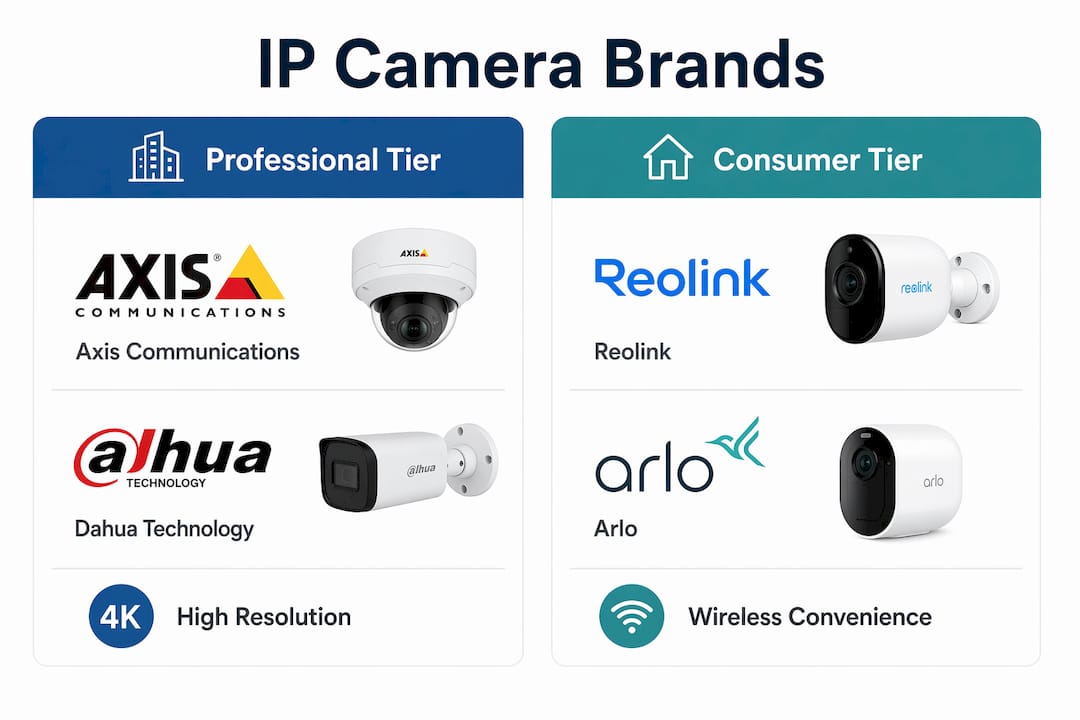
Reolink is the easiest entry point for a homeowner or small business owner who wants real capability without hiring an integrator. The RLC-810A, for example, delivers 4K PoE video with person and vehicle detection for under $60. Setup takes minutes through the Reolink app, and the cameras support both local NVR recording and optional cloud storage. The tradeoff is that Reolink’s AI analytics are less refined than Hikvision’s or Axis’s, and the ecosystem is smaller.
Arlo built its reputation on wire-free convenience. The Arlo Pro 5S 2K records at 2560 x 1440 resolution with a 160-degree field of view, color night vision, and Apple HomeKit support alongside Alexa and Google Assistant. Battery life typically lasts several months per charge depending on activity, and Arlo’s SmartHub can store footage locally on a flash drive, which helps offset the cost of a cloud subscription. For renters or anyone who cannot run cable, Arlo is the most capable wireless option in this group.
How to choose the right IP camera for your situation
The single biggest mistake buyers make is choosing a camera based on resolution alone. Resolution matters, but the environment, power source, and storage plan shape the actual experience far more.

Start with the environment. Indoor cameras face different demands than outdoor ones. For outdoor use, check the ingress protection (IP) rating on the spec sheet. An IP65 rating means the camera resists dust and low-pressure water jets; IP67 means it can survive temporary submersion. Cameras without a published IP rating should not go outside, regardless of how the marketing copy describes them.
Wired PoE versus wireless Wi-Fi. PoE cameras deliver data and power over a single Cat5e or Cat6 cable, making them the preferred choice for permanent, 24/7 installations. Wireless cameras are easier to place and ideal for locations where running cable is impractical, but they depend on Wi-Fi signal strength and battery life. If your router is far from the camera location, a wireless camera will underperform regardless of its specs.
Resolution by use case. 2MP (1080p) covers close-range monitoring like a front door or cash register. For capturing license plates in a parking lot or identifying faces at a distance, 4K (8MP) is the practical minimum. Higher resolution also means larger file sizes, so factor in storage capacity when stepping up.
Questions to ask before you buy:
- Does the camera need to record continuously, or only on motion?
- Will footage be stored locally, in the cloud, or both?
- Do you need smart home integration (Alexa, Google Assistant, HomeKit)?
- Is professional installation required, or is DIY realistic?
- What is the total annual cost including any subscription fees?
Storage tradeoffs. Local storage keeps footage on your property and avoids monthly fees, but a stolen or damaged camera takes the footage with it. Cloud storage adds a recurring cost but provides off-site backup and remote access from anywhere. Many buyers use both: a local NVR as the primary recorder and cloud as a backup for critical clips.
Typical cost breakdown. A basic home setup with multiple Reolink PoE cameras and a local NVR costs a few hundred dollars in hardware. An Arlo wireless system with a cloud subscription involves a moderate monthly fee. A professional Axis or Hikvision installation for a small business can cost over a thousand dollars depending on camera count and complexity.
Pro Tip: Always use surveillance-grade microSD cards for local recording. Standard consumer cards fail quickly under the continuous write cycles of a security camera. Look for cards labeled “high endurance” from brands like Samsung or Western Digital, rated for at least 10,000 hours of continuous recording.
Red flags to watch for: specs that list “interpolated” resolution rather than native sensor resolution, cameras with no published IP rating sold as “outdoor,” and cloud-only cameras from brands with no clear data privacy policy.
How do IP cameras actually work?
IP cameras capture video through a CMOS image sensor, compress it using H.264 or H.265 encoding, and send the resulting data stream over a TCP/IP network, the same protocol your laptop uses to browse the web. H.265 (also called HEVC) cuts file sizes roughly in half compared to H.264 at the same visual quality, which matters when you are storing days of continuous footage.
PoE technology delivers both data and electrical power through a single Ethernet cable, eliminating the need for a separate power outlet at each camera location. For outdoor PoE runs, shielded Cat5e or Cat6 cable rated for outdoor or direct burial use is required. Standard indoor patch cable degrades quickly when exposed to UV and moisture.
One technical point that trips up a lot of buyers: the “IP” in IP camera refers to Internet Protocol, the networking standard, not to the ingress protection rating. These are two entirely separate specifications. A camera can have an IP67 weather rating and still be an IP camera in the networking sense. Always check both when evaluating an outdoor unit.
Can IP cameras work without internet? Yes, with limits. A camera connected to a local NVR records continuously whether or not the internet is up. What stops working without internet: remote viewing through a mobile app, cloud storage uploads, and firmware updates. Consumer cameras also typically require internet access during initial setup to register the device and download firmware, so a fully offline installation from day one is rarely possible on consumer-grade hardware.
AI analytics have moved from enterprise-only to mainstream. Features like facial recognition, object classification (person, vehicle, animal, package), and people counting are now standard on mid-range cameras from Hikvision and Dahua, and available on higher-end Reolink and Arlo models. These capabilities reduce false alerts by filtering out swaying trees or passing headlights, sending notifications only when a person actually enters the frame.
Cybersecurity basics every owner should follow:
- Change the default username and password immediately after setup
- Enable HTTPS and disable any unused remote access protocols (Telnet, UPnP)
- Keep firmware updated; manufacturers patch vulnerabilities regularly
- Place cameras on a dedicated VLAN or isolated network segment if possible
- Avoid exposing camera ports directly to the public internet without a VPN or firewall rule
In 2014, the site Insecam indexed over 73,000 locations worldwide using cameras that still had default credentials. That number has dropped, but the risk has not disappeared. A camera with a weak password is a door into your entire home network.
Simlimsquareinsider is a different way to shop for cameras
If you have read this far and still feel like you need to see the hardware before committing, that is exactly the gap Simlimsquareinsider fills. Rather than ordering blind from a product page, you can use Simlimsquareinsider to navigate Sim Lim Square’s camera and electronics retailers, compare models side by side in person, and get advice from store staff who handle this equipment daily.
Simlimsquareinsider’s store guides and buying resources cover IP cameras, CCTV systems, and the accessories that make or break an installation, from PoE switches to surveillance-grade storage. The platform also covers local warranty support and in-store testing, two things no online retailer can replicate. For buyers who want to handle a Reolink or Hikvision unit before purchasing, or who need a retailer to walk them through PoE switch compatibility, Simlimsquareinsider is the practical starting point. You can also explore the CCTV buying guide for a deeper look at system selection before you visit.
Key Takeaways
Choosing the right IP camera comes down to matching connection type, resolution, and storage method to your specific environment and budget, not chasing the highest specs on paper.
| Point | Details |
|---|---|
| Resolution by use case | 1080p suits close-range monitoring; 4K is needed for license plates or facial ID at distance. |
| PoE vs wireless | PoE delivers more reliable 24/7 performance; wireless suits flexible or hard-to-wire locations. |
| Storage tradeoffs | Local storage avoids fees but risks physical loss; cloud adds cost but provides off-site backup. |
| Use surveillance-grade storage | Standard microSD cards fail under continuous recording; use high-endurance cards rated for 10,000+ hours. |
| Simlimsquareinsider | Lets you compare and test IP camera models in person at Sim Lim Square, with local warranty support. |
FAQ
What is an IP camera?
An IP camera is a digital video surveillance device that transmits footage over an IP network (Ethernet or Wi-Fi) rather than through analog cables. Unlike traditional CCTV, it requires no local recording device and can be accessed remotely from any internet-connected device.
What does “IP” mean on a camera?
“IP” stands for Internet Protocol, referring to the networking standard the camera uses to send video data. It is a separate specification from the ingress protection (IP) rating, which measures weather resistance for outdoor use.
Can IP cameras work without internet?
Yes. IP cameras connected to a local NVR record continuously without an internet connection. Remote viewing, cloud storage, and firmware updates require internet, and most consumer models also need internet access during initial setup.
Is an IP camera better than CCTV?
IP cameras offer significantly higher resolution (up to 4K versus analog CCTV’s typical 480p), flexible installation over existing networks, remote access, and AI-powered features like motion detection and object classification. For most home and small business applications, IP cameras are the stronger choice.