

Network Switches for Home and Business: 2026 Guide
TL;DR:
- A network switch connects devices within a local network and forwards data only to the intended recipient using MAC addresses. Different switch types offer various levels of control, from simple unmanaged units to fully managed and PoE-enabled models suitable for diverse network needs and growth. Modern switches support essential features like VLANs, QoS, remote management, and high port capacity, which are critical for secure and scalable network infrastructure.
A network switch is the device that makes your local network actually work. It connects multiple devices — computers, printers, IP cameras, servers — and forwards data packets only to the device that needs them, rather than broadcasting to everyone on the network. Switches operate at layer 2 or layer 3 of the OSI model, using MAC addresses to make forwarding decisions. That targeted approach is what separates a switch from a basic hub, and it is why modern networks rely on them.
Core functions at a glance:
- Forward data frames using MAC address tables stored in high-speed memory
- Create separate collision domains per port, eliminating traffic interference
- Connect devices within a single local area network (LAN)
- Support multiple simultaneous transmissions without degrading performance
- Scale from 5-port desktop units to modular chassis serving thousands of endpoints
What types of network switches should you know about?
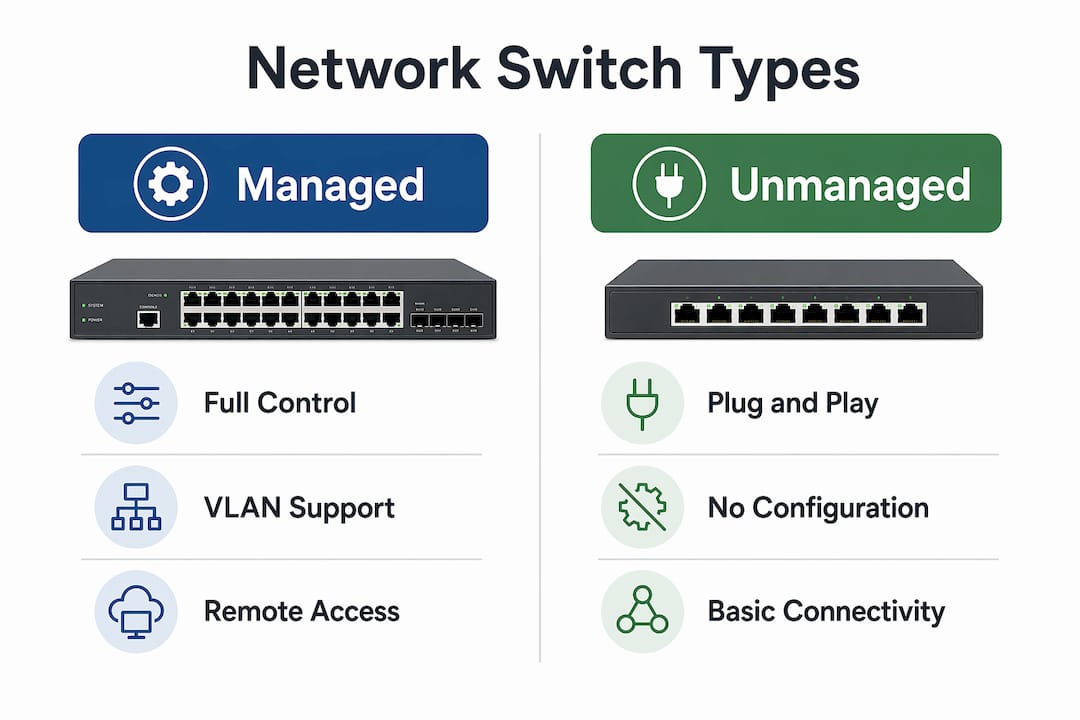
Unmanaged switches
Unmanaged switches are plug-and-play. You connect them, and they work. There is no configuration interface, no login page, and no settings to adjust. They are the least expensive option and fit perfectly in a home office or small business where you just need a few extra ports. The tradeoff is total inflexibility: no VLANs, no traffic prioritization, no monitoring.
Managed switches
Managed switches give you full control. You can configure VLANs, set Quality of Service (QoS) rules, monitor traffic via SNMP, and access the device remotely through a web interface or command-line interface (CLI). That control comes at a higher price and requires someone who knows how to use it. For enterprise, government, and healthcare networks, managed switches are the standard choice.
Smart switches
Smart switches sit between unmanaged and managed. They offer a web interface and basic configuration options like VLANs and port bandwidth settings, but typically no CLI access. The price is lower than a fully managed switch, which makes them a practical fit for growing small businesses that need some control without a dedicated IT team.
PoE switches
Power over Ethernet (PoE) switches deliver both data and electrical power through a single Ethernet cable. That means IP cameras, VoIP phones, and wireless access points can run without a separate power adapter. The IEEE 802.3at standard (PoE+) delivers up to 30W per port, while PoE++ pushes up to 90W per port for power-hungry devices like pan-tilt-zoom cameras or thin clients.
| Switch Type | Configuration | VLANs / QoS | PoE Option | Typical Use |
|---|---|---|---|---|
| Unmanaged | None (plug-and-play) | No | Some models | Home, small office |
| Smart | Web interface | Basic | Some models | Small business |
| Managed | Web, CLI, SNMP | Full | Many models | Enterprise, healthcare |
| PoE | Varies by model | Varies | Yes | Cameras, phones, APs |
Key benefits by type:
- Unmanaged: zero setup time, low cost, reliable for basic connectivity
- Smart: VLAN support without full IT overhead
- Managed: remote management, traffic segmentation, fault tolerance
- PoE: eliminates power adapters, simplifies cable runs
How port count and physical configuration affect your choice
The number of ports on a switch determines how many devices you can connect directly. Fixed-configuration switches come with a set number of ports and cannot be expanded. Modular switches accept expansion cards, letting you add interfaces for fiber, additional copper ports, or specialized connections as your network grows.
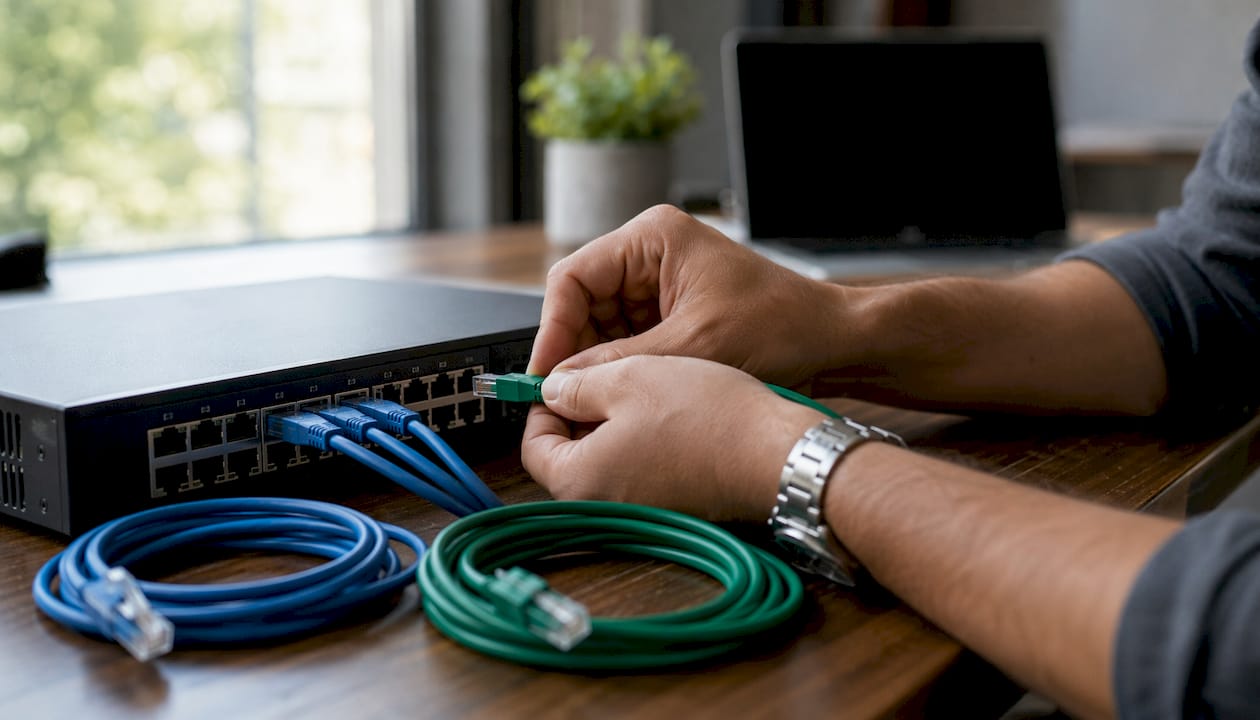
Common port counts and their typical deployment scenarios:
| Port Count | Form Factor | Typical Scenario |
|---|---|---|
| 5–8 ports | Desktop | Home network, small office |
| 24 ports | Rack-mounted | Medium business, department |
| — | Rack-mounted | Large office floor, data center edge |
| Modular chassis | Rack-mounted | Enterprise core, campus network |
Stackable vs. standalone switches is a decision that matters more than most buyers realize. Standalone switches operate independently. Stackable switches connect to each other and appear as a single logical unit to your network management software. That means you manage 10 stacked switches as if they were one device, which cuts administrative time considerably in larger deployments.
Physical configuration options:
- Desktop units for home or small office use outside a wiring closet
- Rack-mounted units for structured cabling environments
- DIN rail-mounted switches for industrial settings
- Small installation switches for in-floor or in-duct deployments
Pro Tip: When planning port count, add 20–30% headroom above your current device count. Networks grow faster than expected, and replacing a switch mid-deployment costs more than buying the right size upfront.
What features actually matter in a network switch?
VLANs
Virtual LANs (VLANs) let you segment a single physical switch into multiple logical networks. A retail store might put point-of-sale terminals on one VLAN and guest Wi-Fi on another, preventing customers from ever touching internal systems. IEEE 802.1Q tagging is the standard that makes this work across multiple switches.
Quality of Service (QoS)
QoS lets you tell the switch which traffic gets priority. VoIP calls and video conferencing need low latency; file backups do not. Without QoS, a large file transfer can choke a video call on the same network. Managed switches handle this automatically once you configure the rules.
Remote management
SNMP agents, web dashboards, and CLI access let you monitor and configure a switch without being physically present. For multi-site businesses, this is the difference between a 10-minute remote fix and a two-hour truck roll.
Port mirroring
Port mirroring copies traffic from one port to a designated monitoring port. Security analysts and network engineers use it to run packet capture tools without interrupting live traffic. It is one of those features you do not think about until you desperately need it.
Link aggregation
Link aggregation (IEEE 802.3ad) bonds multiple physical ports into a single logical connection. You get higher throughput between switches or between a switch and a server, plus redundancy if one cable fails.
Key features summary:
- VLANs: traffic isolation and security segmentation
- QoS: priority rules for latency-sensitive applications
- SNMP / web / CLI: remote monitoring and configuration
- Port mirroring: traffic analysis without disruption
- Link aggregation: combined bandwidth and failover protection
How to choose the right network switch for home or business
Start with device count. Count every wired device you need to connect now, then add realistic growth over two to three years. That number determines your minimum port count.
Next, decide on management type. A home network with a router, a NAS, and a few computers does not need a managed switch. A business running VoIP phones, IP cameras, and a guest network absolutely does. Unmanaged switches lack the traffic segmentation and prioritization that sensitive applications require, so the wrong choice here has real consequences.
Speed matters too. Gigabit Ethernet (1GbE) is the baseline for any new deployment. If you are moving large files between servers or running a video production environment, 10GbE uplinks between switches and servers are worth the extra cost.
PoE requirements deserve their own calculation. Add up the maximum power draw of every PoE device you plan to connect, then confirm the switch’s total PoE power budget exceeds that number. Exceeding the budget causes device power failures and intermittent connectivity, which are frustrating to diagnose.
One cost that often gets overlooked: managed switches require trained IT staff to configure and maintain them. The management overhead is a real budget line item, not just a hardware purchase. Factor that in before choosing a fully managed platform for a small team.
Selection checklist:
- Device count now and in two to three years
- Management type: unmanaged, smart, or fully managed
- PoE requirements and total power budget
- Speed: 1GbE standard, 10GbE for high-throughput environments
- Stackability if you anticipate adding switches later
- Compatibility with existing routers, access points, and cabling
Pro Tip: For a managed switch setup, document your VLAN plan before you touch the hardware. Retrofitting VLANs onto a live network is far messier than building them in from the start.
What the industry says about managed switches and PoE in 2026
Managed switches have moved from “enterprise luxury” to baseline expectation for any network that handles sensitive data. Cisco positions managed switches as the standard for networks where reliability and remote management are non-negotiable, particularly in healthcare and government environments where downtime has direct operational consequences.
The scalability argument for managed switches is straightforward. They support advanced topologies like ring and mesh configurations, which provide redundancy and fault tolerance that unmanaged switches simply cannot offer. When one link fails in a ring topology, traffic reroutes automatically. An unmanaged switch in the same scenario takes the whole segment down.
Security professionals consistently point to VLAN isolation as a frontline defense. When a device on one VLAN is compromised, the attacker cannot move laterally to devices on other VLANs without passing through a router or firewall where access control rules apply. That containment is why VLAN segmentation appears in virtually every enterprise security framework.
On the PoE side, the shift to PoE++ (up to 90W per port) is expanding what you can power over Ethernet. Thin clients, digital signage displays, and high-end PTZ cameras all fall within that range now. The catch is that PoE power budgets require careful planning. A 24-port PoE switch with a 370W total budget cannot simultaneously power 24 devices drawing 30W each. You need to know your numbers before you buy.
Key 2026 industry insights:
- Managed switches are the standard for enterprise, healthcare, and government networks
- Ring and mesh topologies via managed switches provide automatic failover
- VLAN isolation limits breach propagation across network segments
- PoE++ at 90W per port expands device compatibility significantly
- PoE power budget miscalculation remains the most common deployment error
- Smart switches are gaining ground in SMB deployments as a cost-effective middle ground
For a deeper look at switch types for business, the distinctions between categories become especially clear when you map them against real deployment scenarios.
Layer 2 vs. layer 3 switches: which one does your network need?
Layer 2 switches operate at the data link layer, forwarding frames based on MAC addresses within a single broadcast domain. They are fast, inexpensive, and perfectly suited for connecting devices within the same subnet. Most home networks and small office deployments run entirely on layer 2 switching.
Layer 3 switches add routing capability. They can forward traffic between different subnets using IP addresses, the same function a router performs, but at hardware speeds rather than software speeds. In a large office where the finance VLAN needs to reach the server VLAN without hairpinning traffic through a central router, a layer 3 switch handles that routing locally and much faster.
The practical decision comes down to whether you have multiple subnets that need to communicate. One subnet? Layer 2 is sufficient. Multiple VLANs that need inter-VLAN routing? A layer 3 switch pays for itself in performance and simplicity. Brands like Netgear and Cisco both offer layer 3 options across their managed switch lines, from small business models to full enterprise chassis.
Security features you should expect from a modern switch
Access Control Lists (ACLs) let you define rules about which traffic is allowed or denied at the port level. A switch with ACL support can block a specific device from reaching a server, or prevent any device on a guest VLAN from initiating connections to internal resources. That granularity is not available on unmanaged hardware.
802.1X port authentication requires devices to authenticate before the switch grants network access. Combined with a RADIUS server, this means an unknown laptop plugged into a wall port gets no connectivity until it proves its identity. It is one of the most effective controls against unauthorized physical access.
Dynamic ARP Inspection (DAI) and DHCP snooping work together to prevent ARP spoofing and rogue DHCP servers, two of the most common attacks on local networks. Both features are standard on enterprise managed switches from Netgear and Cisco, and increasingly available on smart switch platforms as well.
Storm control limits broadcast, multicast, and unknown unicast traffic to a defined threshold per port. Without it, a single misconfigured device can generate a broadcast storm that saturates the entire network. Storm control catches that before it spreads.
Key Takeaways
Choosing the right switch comes down to matching management type, port count, PoE capacity, and layer capability to your actual network requirements.
| Point | Details |
|---|---|
| Match management type to complexity | Unmanaged suits simple home use; managed switches are required for VLANs, QoS, and remote control. |
| PoE budget must exceed device draw | Exceeding a switch’s PoE power budget causes device failures and intermittent connectivity. |
| Layer 3 for multi-subnet routing | Layer 3 switches handle inter-VLAN routing at hardware speed, eliminating the need for a separate router. |
| VLAN isolation limits breach spread | Segmenting traffic with VLANs prevents lateral movement if one device is compromised. |
| Plan port count with headroom | Add 20–30% extra ports above current device count to avoid replacing the switch as your network grows. |
FAQ
What is the difference between a managed and unmanaged switch?
An unmanaged switch is plug-and-play with no configuration options, while a managed switch offers VLANs, QoS, SNMP monitoring, and remote access for complex network control.
How many ports do I need for a home network switch?
A 5-port or 8-port switch covers most home setups, but add 20–30% headroom above your current device count to accommodate future devices without replacing the switch.
What does PoE mean on a network switch?
PoE (Power over Ethernet) delivers electrical power and data through a single cable. PoE+ provides up to 30W per port and PoE++ delivers up to 90W per port, powering devices like IP cameras and VoIP phones without separate power adapters.
When do I need a layer 3 switch instead of layer 2?
You need a layer 3 switch when your network has multiple VLANs or subnets that must communicate with each other. Layer 2 switches handle traffic within a single subnet; layer 3 switches route traffic between subnets at hardware speed.
Are smart switches good for small businesses?
Smart switches are a practical middle ground for small businesses. They offer basic VLAN and bandwidth configuration through a web interface at a lower cost than fully managed switches, without requiring dedicated IT expertise.