

Laptop Repair in 2026: Fix It Smart, Save More
TL;DR:
- Making quick repair decisions under pressure can result in higher costs and unnecessary damage to your laptop.
- Always verify your warranty, back up data, and perform a proper diagnosis before seeking professional repair services.
Your laptop crashes mid-deadline. The screen goes black. The keyboard stops responding. Laptop repair decisions made under pressure often cost more than necessary, and the wrong move can turn a fixable problem into an expensive replacement. This guide walks you through everything you need to know before handing over your device or picking up a screwdriver. From realistic cost estimates and step-by-step repair processes to the mistakes that make common laptop issues worse, you will leave with a clear picture of your options.
Table of Contents
- Key takeaways
- What to do before any laptop repair attempt
- Step-by-step guide to the most common laptop repairs
- Troubleshooting tips and mistakes to avoid
- Cost overview for laptop repair services in 2026
- My honest take on modern laptop repair
- Find trusted laptop repair at Sim Lim Square
- FAQ
Key takeaways
| Point | Details |
|---|---|
| Check warranty first | Always verify manufacturer coverage before paying for any repair service. |
| Most repairs are fast | Over 90% of repairs complete within 25 to 60 minutes at professional centers. |
| Costs vary by repair type | Screen and battery replacements typically run less than a motherboard or liquid damage fix. |
| “No Fix, No Fee” matters | Choose repair shops that offer written guarantees covering parts and labor for at least 90 days. |
| Know when to stop DIY | Chip-level motherboard faults require specialized equipment no average DIYer has access to. |
What to do before any laptop repair attempt
Before touching a single screw or booking a technician, three things need to happen: check your warranty, back up your data, and run a proper diagnosis. Skipping any one of these steps is where most people create new problems while trying to solve an old one.
Check your warranty status first. Manufacturer warranties typically cover hardware defects but not physical damage or liquid spills. If your laptop is under warranty, an unauthorized repair attempt can void it entirely. Check the purchase date, review the warranty terms on the manufacturer’s website, and contact their support line before proceeding. For out-of-warranty devices, you have full flexibility to choose any laptop repair service.
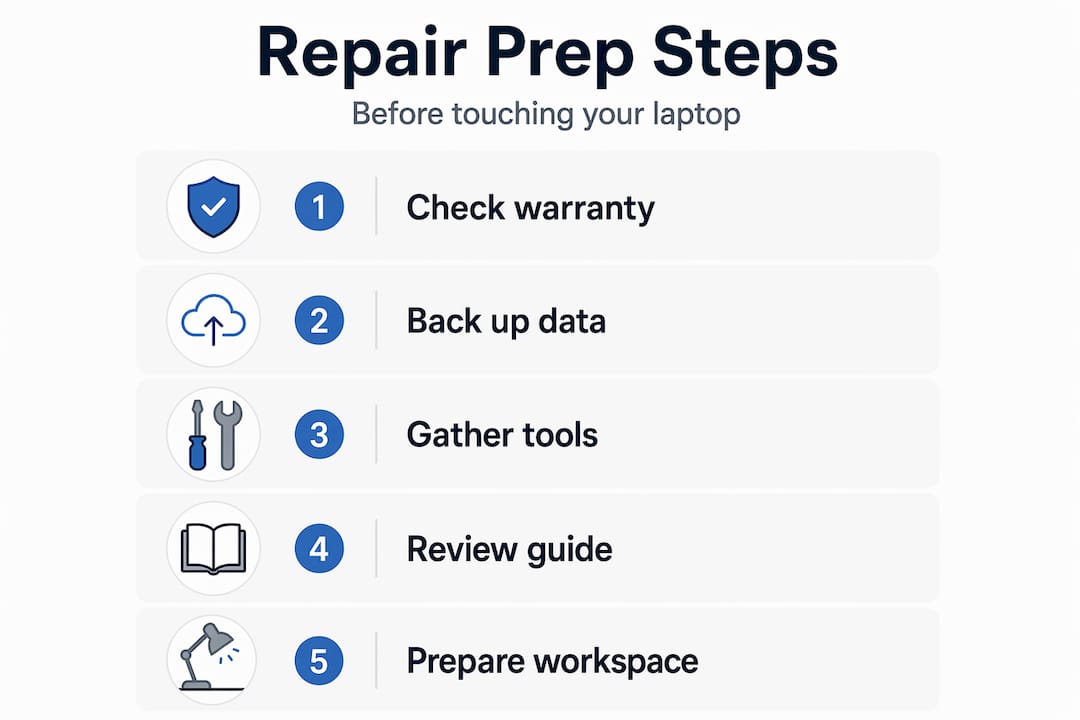
Back up your data without exception. Even a seemingly simple repair like a screen replacement can go wrong. Battery swaps require powering down and sometimes removing components near the storage drive. Any professional worth your time will tell you the same thing: your data is your responsibility before the device leaves your hands.
Basic diagnostic steps to identify the issue
Running a quick diagnosis before calling in a technician saves you time and money. Here is a straightforward checklist:
- No display: Test with an external monitor. If the external works, the fault is in the screen or its cable, not the graphics card.
- Won’t turn on: Try a different charger first. Check the charging port for debris or physical damage.
- Overheating or shutting down: Check that vents are clear. Listen for the fan. Dust buildup is the most common cause.
- Keyboard not working: Test with an external USB keyboard. If that works, it narrows the fault to the laptop’s built-in hardware or its connector.
- Slow performance: Run a disk health check using built-in tools before assuming a hardware fault.
Once you have isolated the symptom, you can request a more accurate quote. Transparent pricing and itemized quotes before work begins are the hallmarks of a trustworthy shop.
Pro Tip: Before booking any laptop repair services, screenshot your system diagnostics or note down any error codes. This shortens the technician’s diagnostic time and often lowers your bill.
For anyone looking to make a broader decision between repair and upgrade, the Singapore laptop buyer’s guide on Simlimsquareinsider is worth a read before you commit.
Step-by-step guide to the most common laptop repairs
Understanding what goes into each repair helps you evaluate quotes, spot overcharging, and decide whether a DIY attempt is realistic. Here are the five most common repairs, broken down practically.
Screen replacement
- Power off completely and remove the battery if possible.
- Carefully pry off the screen bezel using a plastic spudger. Metal tools scratch and crack the surrounding frame.
- Unscrew the screen panel and locate the video cable connector at the back.
- Disconnect the old panel and connect the new one. Test before reassembling.
- Reassemble the bezel and test all display functions including brightness and hinges.
Laptop screen replacement is one of the more accessible DIY repairs if you can source the correct panel. The risk is in the cable connection. A loose fit causes flickering, and a bent connector can kill the new screen immediately.
Battery replacement

Most modern laptops use batteries glued or screwed to the base plate. Glued batteries require a heat source and plastic tools to avoid puncture. The swap itself takes about 20 minutes in most models once you have the right battery. Simple hardware swaps like this typically complete within two to four hours at professional centers, including testing.
Keyboard replacement
Keyboards attach via ribbon cables and retaining clips. The process differs significantly between brands. Some keyboards are top-mounted and accessible within minutes. Others require full disassembly from the bottom. If a single key is the issue, replacement keycaps are often available for under $10. Full keyboard replacement makes sense when multiple keys fail or liquid has damaged the membrane.
Charging port repair
This is where DIY gets complicated. Charging ports on modern laptops are often soldered directly to the motherboard. A cold solder joint or broken port needs micro-soldering skills and a proper workstation to fix correctly. Board-level repairs require BGA rework machines and trained technicians. Attempting this without the right equipment typically results in a worse connection or a damaged board.
Thermal servicing for overheating
Thermal paste hardens and loses efficiency after two to three years. Replacing it involves disassembling the cooling system, cleaning the heat sink and fan, applying fresh thermal compound, and reassembling. This repair is often overlooked but delivers a noticeable performance improvement on older machines.
Pro Tip: When booking laptop servicing, ask specifically whether thermal paste replacement is included. Many standard service packages skip it, yet it fixes overheating in the majority of cases.
Troubleshooting tips and mistakes to avoid
Most repair mistakes come from two places: moving too fast and trusting a vague quote. Here is what to watch out for.
“A quote without an itemized breakdown is not a quote. It is a blank check.”
Reputable laptop repair shops provide a written breakdown of parts and labor before any work starts. If a technician gives you a single number without explaining what it covers, ask for specifics. Hidden charges on top of a lowball estimate are common enough to be a serious red flag.
Common mistakes that make repairs worse:
- Using metal pry tools on display bezels, which crack the plastic and sometimes the screen itself.
- Forcing ribbon cable connectors, which snaps the locking mechanism and requires a board-level fix.
- Skipping the external monitor test before ordering a replacement screen, which leads to buying a part you do not need.
- Ignoring signs that the motherboard is the actual fault. Symptoms like random shutdowns, POST failures, or multiple simultaneous issues often point to the board, not individual components.
- Proceeding with unauthorized repairs on a device still under manufacturer warranty, which voids coverage entirely.
When should you stop and call a professional? The moment you see signs of liquid damage, burnt components, or any issue that traces back to the motherboard. Complex chip-level work is not feasible for most home repair attempts.
There is also a point where repair stops making financial sense. If the estimated repair cost exceeds 60 to 70 percent of the device’s current market value, replacement is the more rational choice. Check current prices on the Simlimsquareinsider guide to compare laptop prices before making that call.
Cost overview for laptop repair services in 2026
Repair costs vary by fault type, brand, and whether genuine OEM parts are used. Here is a realistic comparison table based on current service pricing.
| Repair type | Typical price range | Turnaround time |
|---|---|---|
| Screen replacement | $75 to $180 | 2 to 4 hours |
| Battery replacement | $55 to $120 | 1 to 2 hours |
| Keyboard replacement | $60 to $140 | 1 to 3 hours |
| Charging port repair | $55 to $150 | 2 to 6 hours |
| Motherboard / chip-level | $150 to $400+ | 24 to 48 hours |
| OS reinstallation | $60 to $90 | 1 to 2 hours |
Note that pricing in Singapore for laptop repair Singapore shops generally aligns with these ranges, though premium brand models like Apple MacBooks or Dell XPS laptops command higher part costs.
Trusted repair shops provide OEM-grade parts with detailed invoices and maintain a 90-day warranty covering both parts and labor. That warranty period matters more than most people realize. A screen that fails at week 10 after replacement should not cost you a second time.
The case for professional repair over replacement comes down to data and productivity. Losing a laptop for two days to a $90 OS reinstallation is far cheaper than buying a new device and spending a week migrating data and reinstalling software. Doorstep repair services have made this calculation even easier, bringing the technician to you and eliminating transport risk entirely.
Affordable laptop fixes become even more accessible when you choose a provider with a “No Fix, No Fee” policy. You pay nothing if the repair cannot be completed successfully. That single policy separates shops confident in their work from those guessing at a solution.
My honest take on modern laptop repair
I have watched the laptop repair market shift significantly over the past few years, and here is what stands out to me most clearly.
The biggest mistake people make is treating all repair shops as equal. They are not. The difference between a shop that does surface-level hardware swaps and one with genuine board-level diagnostic capability is enormous. I have seen laptops written off by one technician fixed completely by another who had the right BGA rework equipment and the training to use it. Chip-level repair expertise is a real differentiator, and most shops will not admit they do not have it until they have already taken your money.
The second thing I want to be direct about: DIY repair is genuinely viable for screen replacements, battery swaps, and thermal servicing on most mainstream laptop models. The repair guides online are solid for those tasks. But the moment you see a motherboard fault or liquid damage, step away. The equipment required for a proper fix costs tens of thousands of dollars. No YouTube tutorial bridges that gap.
What I consistently recommend is choosing shops that commit to transparent pricing up front and back their work with a written 90-day warranty. That combination tells you more about a shop’s confidence and quality than any review score. If they stand behind the repair in writing, they have reason to do it right.
— Aloysius
Find trusted laptop repair at Sim Lim Square
If you are dealing with a laptop issue right now and want access to repair shops you can actually trust, Simlimsquareinsider makes it easy to find the right option.

Sim Lim Square has long been Singapore’s go-to destination for laptop repair services, and Simlimsquareinsider gives you the inside knowledge to choose well. From electronics repair specialists known for transparent pricing to shops offering same-day turnarounds with written warranties, the directory covers what you need. Whether you are looking for affordable laptop fixes, a screen replacement, or a full diagnostic on a failing device, you will find vetted options without the guesswork. Explore the full resource at Simlimsquareinsider and get your laptop back in working order with confidence.
FAQ
How much does laptop repair typically cost?
Screen and battery replacements generally range from $55 to $180 depending on the model and parts used. Motherboard or chip-level repairs can run $150 to $400 or more.
How long does a laptop repair take?
Most standard repairs complete within 25 to 60 minutes. Complex faults like motherboard repairs or liquid damage restoration typically require 24 to 48 hours.
Should I repair or replace my laptop?
If the repair cost is below 60 percent of the device’s current market value and your data is worth preserving, repair almost always makes more financial sense.
What is a “No Fix, No Fee” policy?
It means you pay nothing if the technician cannot successfully fix your device. Reputable repair centers pair this policy with a 90-day written warranty on parts and labor.
Can I do laptop screen replacement myself?
Yes, for most mainstream Windows laptops, screen replacement is a viable DIY repair if you source the correct panel and follow model-specific disassembly instructions carefully. MacBooks and ultra-slim models are significantly harder due to adhesive and cable routing.
Recommended
- Laptop shopping tips: Singapore buyer’s smart guide – Sim Lim Square Insider
- Laptop upgrades: Boost performance and shop smart in Singapore – Sim Lim Square Insider
- Why Sim Lim Square is Singapore’s best for electronics repairs – Sim Lim Square Insider
- Top 4 Cheap Laptops Alternatives 2026 – Sim Lim Square Insider