

Laptop shopping tips: Singapore buyer's smart guide
TL;DR:
- Having a clear budget and prioritizing key specs like RAM, storage, weight, and battery life are essential for smart laptop shopping in Singapore.
- Buying refurbished or upgradeable laptops from reputable local sellers, especially at Sim Lim Square, offers better value and future-proofing for most users.
Walking into a laptop store in Singapore without a plan is a fast way to overpay for specs you don’t need or end up with a machine that frustrates you within six months. The range is staggering: entry models start at S$450, premium ultrabooks push past S$2,000, and every retailer will tell you their recommendation is the right one for you. These laptop shopping tips cut through that noise. You will learn exactly what specs matter, which categories fit which budgets, where to find genuine deals, and how to avoid the most common laptop buying mistakes local consumers make.
Table of Contents
- Key criteria for choosing the right laptop in Singapore
- Top laptop categories and popular models for Singapore consumers
- Upgrading and buying refurbished laptops in Singapore: pros, cons, and tips
- How to get the best deals and navigate Singapore’s laptop retail landscape
- Laptop performance benchmarks: balancing specs for your workload
- Why upgrading your laptop’s RAM and buying locally refurbished models matter in Singapore
- Discover expert laptop deals and repairs at Sim Lim Square Insider
- Frequently asked questions
Key Takeaways
| Point | Details |
|---|---|
| Smart budget range | Aim for S$800 to S$1,400 to balance performance and value for everyday laptop needs in Singapore. |
| Prioritize RAM and storage | Choose laptops with at least 16GB RAM and 512GB SSD for smooth multitasking and fast data access. |
| Buy locally with warranty | Opt for laptops with local carry-in warranty and reliable service centers in Singapore for convenience. |
| Consider refurbished & upgrades | Refurbished laptops from trusted sellers with upgradeable RAM slots offer savings and longevity. |
| Shop during sales | Take advantage of seasonal promotions like back-to-school and Black Friday to get the best deals. |
Key criteria for choosing the right laptop in Singapore
Before you look at a single model, you need a framework. Without one, you will get distracted by specs that look impressive on paper but have zero impact on your actual daily use.
Set a realistic budget first. According to Singapore laptop pricing data, the median laptop transaction price sits at S$1,290, with entry models from S$450 and premium or gaming machines reaching S$3,200. The S$800 to S$1,400 range is the sweet spot for everyday productivity, giving you genuinely capable hardware without paying a luxury premium.
Prioritize these specs above everything else:
- RAM: 16GB is the baseline for smooth multitasking. Anything less and you will feel it.
- Storage: NVMe SSD is non-negotiable. A 256GB SSD is too tight for most users; go for 512GB minimum.
- Weight: Lightweight models under 3 pounds (approximately 1.36kg) are worth the extra cost if you commute or work from multiple locations.
- Battery life: Manufacturer claims are consistently optimistic. A laptop rated for 12 hours often delivers 7 to 8 hours under real workloads. Check independent reviews.
- Warranty type: A local carry-in warranty means you drop it off at a service center in Singapore and get it back within days. An international warranty often means shipping overseas and waiting weeks. That distinction matters enormously.
Test before you buy if at all possible. Keyboard feel, screen brightness, and fan noise are things no spec sheet captures accurately. If you want to understand laptop configuration more deeply before stepping into a store, that groundwork will save you time and money.
Here is a quick laptop selection checklist to run through before committing:
- What is my primary use case: office work, gaming, creative work, or general browsing?
- Will I carry this daily? If yes, target under 1.5kg.
- Do I need local carry-in warranty support?
- Is the RAM upgradeable, or is it soldered to the motherboard?
- Does the spec match my workload, not just what looks impressive?
Top laptop categories and popular models for Singapore consumers
Once you know what features matter, you can match laptop categories to your actual lifestyle and budget.
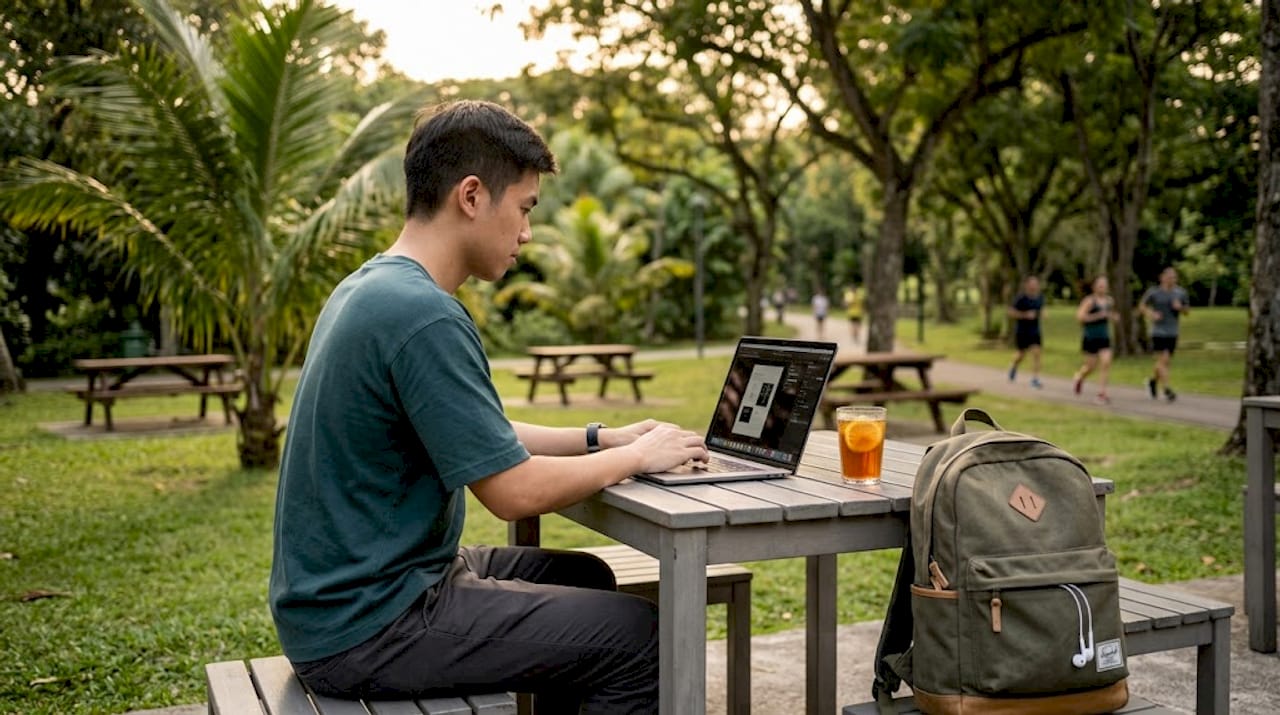
Business ultrabooks are built for professionals and daily commuters. Thin, durable, and often featuring security extras like fingerprint readers and facial recognition. Models like the Lenovo ThinkBook 14 Gen 7 and Microsoft Surface Laptop sit in the S$1,200 to S$2,000 range and offer excellent build quality with local warranty support.
Gaming laptops deliver raw power but come with real tradeoffs: heavier chassis, louder fans, shorter battery life, and prices from S$1,500 to S$2,500. If you are buying a gaming machine as your primary work laptop, expect compromises on portability.
2-in-1 convertibles work well for students and anyone in a hybrid work setup. The touchscreen and tablet mode are genuinely useful for note-taking and presentations. Performance is typically a step below a pure laptop at the same price point, so factor that in.
Entry-level models starting from S$450 handle web browsing, document editing, and video calls without issue. Do not expect them to run demanding software, but for students on a tight budget or a secondary home machine, they are solid value.
Timing your purchase matters. During back-to-school promotions in July and August, and again during Black Friday in November, discounts reach up to 26% at brands like Lenovo, ASUS, and Dell. That can mean S$300 to S$500 off a mid-range machine. Check top tech deals in Singapore regularly in the months before those windows open.
| Category | Typical price (SGD) | Best for | Key tradeoff |
|---|---|---|---|
| Business ultrabook | S$1,200–S$2,000 | Commuters, professionals | Higher cost |
| Gaming laptop | S$1,500–S$2,500 | Gamers, heavy workloads | Weight and battery |
| 2-in-1 convertible | S$800–S$1,500 | Students, hybrid workers | Performance per dollar |
| Entry-level | S$450–S$800 | Basic tasks, budget buyers | Limited future-proofing |
Before you commit, it is worth taking time to compare tech retailers in Singapore because price gaps between sellers on the same model can be significant.
Upgrading and buying refurbished laptops in Singapore: pros, cons, and tips
Besides buying new, you can also stretch your budget by considering refurbished units and DIY upgrades.
Refurbished laptops in Singapore have matured significantly as a category. Reputable sellers now provide quality-checked devices with warranties from 3 to 24 months. A refurbished MacBook Pro 14 M3 from CompAsia, for example, starts at S$1,429 with verified testing. That is a real saving compared to buying new. The key is verifying battery health, checking cycle count, and confirming the warranty is a local carry-in arrangement, not a vague “manufacturer warranty” that sends you chasing paperwork.
For Windows laptops, look for models where the RAM uses SO-DIMM slots rather than being soldered directly to the board. Buying 2024 or 2025 business laptops with upgradeable RAM slots can save you hundreds compared to newer models with fixed memory, and gives you a clear upgrade path when you need more performance later.
Tips for buying refurbished or upgrading locally:
- Always test the charging port and USB-C power delivery before finalizing a purchase.
- Check battery cycle count: under 300 cycles is healthy, over 700 is a risk.
- Choose sellers with a physical storefront in Singapore. If something goes wrong, you want someone you can walk back to.
- Ask explicitly whether the warranty is local carry-in or requires shipping.
- Look for base configurations you can upgrade yourself rather than paying a premium for factory-spec upgrades.
Pro Tip: Before buying refurbished, check the manufacturer’s serial number lookup tool online. Many brands let you confirm whether a device is still within its original warranty period, which gives you added protection on top of the seller’s coverage.
For anyone new to this approach, the refurbished electronics explained guide breaks down exactly what to verify before you hand over your money.
How to get the best deals and navigate Singapore’s laptop retail landscape
Now that you know what to buy, the next step is shopping smarter and saving money across Singapore’s varied retail environment.
Seasonal timing is your biggest lever. Discounts of 10 to 26% are consistent during back-to-school sales in July and August and Black Friday promotions in November. That is not a minor saving on a S$1,400 laptop.
Warranty type is one of the most overlooked factors in Singapore laptop shopping. A local carry-in warranty at Orchard or Jurong East service centers means days to resolution. An international warranty means weeks, sometimes shipping costs, and significantly more frustration.
Where to shop and what to do there:
- Harvey Norman and Gain City: Great for testing keyboards and screens in person. Staff are generally knowledgeable and stock major brands.
- Sim Lim Square: The best location in Singapore for negotiating on used and refurbished units. Bring your checklist, test everything onsite, and do not rush.
- Brand official stores: Useful for warranties and promotional bundles, but prices are less flexible.
- Online retailers: Competitive pricing but no hands-on testing. Best for models you have already evaluated in person.
A practical shopping sequence:
- Research your shortlist online using independent benchmarks, not store marketing materials.
- Visit physical stores to test keyboard feel, screen glare, and fan noise.
- Confirm warranty type before agreeing to any price.
- Check whether the same model is on sale during an upcoming promotion window.
- Negotiate at Sim Lim Square, especially for used or display units.
Use the guides on finding the best tech deals at Sim Lim Square and mastering the workflow for tech deals to go in prepared rather than improvising on the spot.
Laptop performance benchmarks: balancing specs for your workload
Understanding specs ensures you pick a machine that matches your actual performance needs, not just the most impressive number on the box.
CPU: An Intel Core i5 or AMD Ryzen 5 processor is the sweet spot for balanced performance and price. You do not need an i9 for office work and web browsing. Reserve that budget for RAM and storage instead.
RAM: 16GB DDR5 is the functional baseline for running Chrome, Teams, Slack, and light Photoshop simultaneously. 8GB causes swap thrashing under sustained load, meaning your laptop writes to the SSD as temporary memory and slows down noticeably. This is not a subtle difference. It is genuinely painful to use.
Storage: 512GB NVMe SSD is the practical standard for 2026. Boot times are fast, app loading is instant, and you have room for your files without constant management. Cloud storage works well as a supplement, but your primary storage should live locally for speed.
GPU: Integrated graphics handle basic tasks including video streaming, document work, and even light photo editing. A dedicated GPU is only necessary for gaming, 3D rendering, or video editing at scale. Paying for a GPU you will not use is a common overspend in a best laptop buying guide.
| Spec | Minimum (2026) | Recommended | For power users |
|---|---|---|---|
| RAM | 8GB | 16GB | 32GB |
| Storage | 256GB SSD | 512GB NVMe SSD | 1TB NVMe SSD |
| CPU | Intel i3 / Ryzen 3 | Intel i5 / Ryzen 5 | Intel i7 / Ryzen 7 |
| GPU | Integrated | Integrated | Dedicated (4GB+) |
Pro Tip: If you are comparing two laptops with identical specs, check the laptop configuration details on RAM type (DDR4 vs DDR5) and SSD protocol (NVMe vs SATA). DDR5 and NVMe together provide noticeably faster real-world performance than older standards at similar price points.
Why upgrading your laptop’s RAM and buying locally refurbished models matter in Singapore
Here is an angle most buying guides skip entirely: the new laptop market in 2026 has a structural problem that actively works against buyers.
Many newer consumer laptops now solder RAM directly onto the motherboard. That means you cannot upgrade later. The machine you buy today is the machine you are stuck with permanently in terms of memory. If you buy 8GB soldered RAM at S$1,200 thinking you will upgrade it in two years, you cannot. You will need to buy a new laptop entirely.
The smarter move, as Tom’s Guide’s 2026 survival guide explicitly recommends, is hunting for 2024 and 2025 business laptops with SO-DIMM slots rather than rushing into new 2026 models with soldered insufficient memory. A 2024 ThinkPad or Latitude with 8GB upgradeable RAM bought refurbished for S$700, then upgraded to 16GB for another S$60, costs far less than a new S$1,200 machine with soldered 16GB and gives you essentially the same real-world performance.
Sim Lim Square is genuinely the best place in Singapore for this strategy. You will find refurbished business laptops from local resellers, often with documented histories and negotiable pricing. The approach is to bring a USB-C power meter and insist on 48-hour return policies whenever you buy used or refurbished units there. That return window is your safety net if a battery issue or hidden fault surfaces after you get home.
This is not a strategy for everyone. If you need the latest performance for demanding creative work, buy new and buy the best. But for the majority of Singapore consumers who primarily need a reliable machine for productivity, communication, and occasional media, the refurbish-and-upgrade path delivers genuinely better value. The guide on laptop upgrades in Singapore walks through exactly how to execute this approach step by step.
Discover expert laptop deals and repairs at Sim Lim Square Insider
Knowing what to buy is only half the work. Knowing where to buy it, who to trust, and how to get support afterward is what separates a good purchase from a frustrating one.
Sim Lim Square Insider provides the research and local expertise to make your laptop purchase in Singapore confident and well-informed. Browse our trusted agents directory to find verified sellers with strong track records. Explore our video tours of Sim Lim Square to familiarize yourself with the layout, store locations, and what each floor specializes in before you walk in. For the full resource library covering deals, upgrades, repair shops, and buying guides in one place, the complete Sim Lim Square Insider guide is your starting point.
Frequently asked questions
What is the ideal laptop RAM size for smooth multitasking in 2026?
At least 16GB of RAM is recommended to handle everyday multitasking without slowdowns, especially for multiple browser tabs, office apps, and video calls running simultaneously.
When are the best times to buy laptops with discounts in Singapore?
Discounts of 10 to 26% are consistent during back-to-school sales in July and August, and Black Friday promotions in November at major local retailers and brand stores.
Is buying refurbished laptops in Singapore safe and cost-effective?
Yes, as long as you buy from reputable local sellers who provide documented battery health and a local warranty. Refurbished units with verified warranties can deliver reliable performance at meaningful savings compared to new models.
Why is upgrading RAM important when buying a laptop?
Laptops with SO-DIMM slots let you add RAM affordably later, while soldered RAM locks you into the original configuration permanently. Buying upgradeably is a smarter long-term investment.
What warranty should I look for when buying a laptop in Singapore?
Prioritize local carry-in warranty at Singapore service centers. It means faster repairs measured in days rather than the weeks an international warranty requiring overseas shipping typically takes.
Recommended
- Laptop upgrades: Boost performance and shop smart in Singapore – Sim Lim Square Insider
- Why compare tech retailers in Singapore for smart shopping – Sim Lim Square Insider
- Understand laptop configuration: make smart choices – Sim Lim Square Insider
- How to find the best tech deals at Sim Lim Square – Sim Lim Square Insider