

Types of laptops for students: budget-friendly options
TL;DR:
- Choosing a student laptop in Singapore requires balancing battery life, portability, and storage according to your study habits. Budget laptops can meet most needs with 8GB RAM, SSD storage, and a durable build, while premium ultraportables offer all-day battery life for frequent commuters. Matching your workload and environment to the right type ensures an efficient, comfortable, and cost-effective computing experience.
Picking a laptop as a student in Singapore sounds simple until you’re standing in the middle of a tech mall staring at 40 different models with no clear way to compare them. The wrong choice means running out of battery before your last lecture, lugging a heavy machine across campus, or blowing your budget on specs you will never use. Understanding the types of laptops for students before you shop changes everything. This guide breaks down each category with honest trade-offs so you can match your actual study habits to the right machine, not just the one with the biggest number on the spec sheet.
Table of Contents
- Key criteria for choosing a student laptop
- Budget laptops that don’t sacrifice performance
- Convertible 2-in-1 laptops: flexibility with trade-offs
- Ultraportable and premium laptops with all-day battery life
- Chromebooks and cloud-centric laptops for simple workflows
- Comparison of student laptop types: summary table and scenarios
- Why focusing on battery life and workload fit matters more than specs
- Find your ideal student laptop at Sim Lim Square Insider
- Frequently asked questions
Key Takeaways
| Point | Details |
|---|---|
| Prioritize battery and portability | Choose laptops with long battery life and lightweight design for daily campus use. |
| Match storage to workload | Use smaller SSDs for cloud-based writing tasks and larger SSDs for creative or STEM projects. |
| Budget options can perform well | Affordable laptops from trusted brands offer good balance of specs and price. |
| Consider 2-in-1 tradeoffs | Convertible laptops provide flexibility but might compromise performance and battery. |
| Use local resources | Singapore students benefit from deals and expert help at Sim Lim Square for smart laptop shopping. |
Key criteria for choosing a student laptop
Before you look at any specific model, you need to know what actually matters for daily student life. A lot of buyers get distracted by processor benchmarks when the real differentiators are far more practical.
Battery life is the single most important factor most students underestimate. If your laptop dies at 2 PM and your classes run until 6 PM, the specs don’t matter. A good student laptop balances all-day battery life with a thin, light build and a reasonable price. Aim for at least 8 to 10 hours of real-world use, not the inflated numbers on the box.
Portability matters just as much. Carrying a 2.5 kg laptop on a packed MRT every day adds up fast. Lightweight laptops for school should ideally stay under 1.5 kg for comfortable daily carry.
Storage needs vary significantly by what you study:
- Arts and business students writing essays and doing presentations: 256GB SSD is usually enough
- Engineering, computing, and design students running large software: aim for 512GB or 1TB SSD
- Students relying heavily on cloud tools: even 128GB can work with good internet habits
Operating system is a choice most students make too quickly. macOS works beautifully for creative workflows and has excellent battery optimization. Windows gives you the most software compatibility across all fields. Chrome OS suits students who live in Google Workspace but offers limited offline flexibility.
Budget and subsidies shape the field significantly. Many polytechnics and universities in Singapore offer laptop subsidies or interest-free installment options. Check what your institution provides before setting your personal spending cap. To understand what configurations actually mean in practice, reading about laptop configuration basics will help you shop with confidence.
Pro Tip: Test battery claims by searching for real-world reviews, not manufacturer specs. A laptop rated at 12 hours in lab conditions often delivers 7 to 8 hours under normal student use.
Now that you know what criteria matter most, let’s explore the main types of laptops suited for students.
Budget laptops that don’t sacrifice performance
The biggest myth in student laptop shopping is that affordable means unreliable. That stopped being true around 2019. Today’s budget laptops from established brands offer genuine performance for the tasks most students actually do.
What makes a budget laptop worth considering:
- RAM: 8GB is the current baseline. Anything less will feel sluggish with multiple browser tabs open.
- Storage: A 256GB SSD beats a 1TB hard drive every time for speed and responsiveness.
- Display: A 1080p IPS screen reduces eye strain during long study sessions. Don’t settle for TN panels.
- Build quality: Look for magnesium alloy or aluminum chassis over pure plastic for durability under daily use.
Among the standout examples in the budget category, the MacBook Neo at $599 is recognized as a top pick blending a premium brand name with genuine affordability. You don’t always have to spend over a thousand dollars to get something that lasts through your degree.
Refurbished laptops are another option many students overlook. A refurbished machine from a reputable seller at Sim Lim Square can offer last-generation premium specs at budget-tier prices, often with a warranty attached. Knowing where to find tech deals for laptops in Singapore saves you real money.
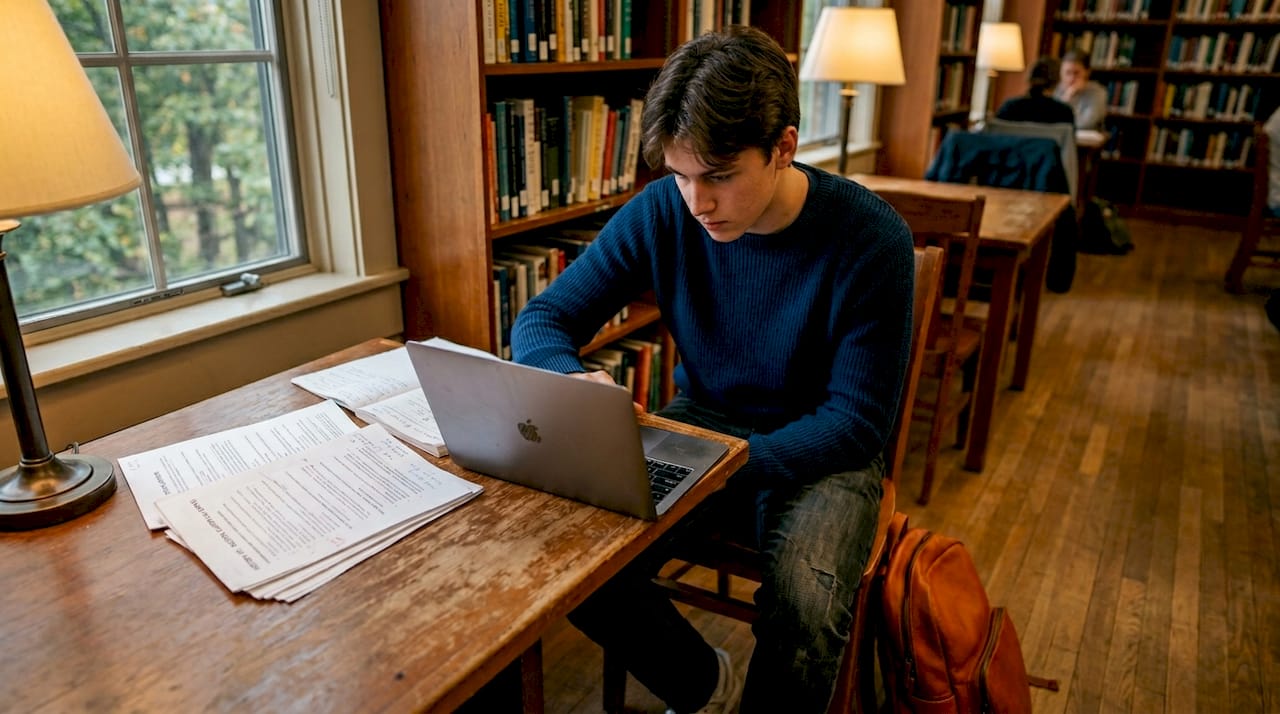
Pro Tip: When choosing a budget laptop, prioritize SSD storage over raw processor speed. A mid-range chip paired with a fast SSD will feel snappier in everyday use than a newer chip stuck with a slow hard drive.
Budget options are ideal for many students, but others may need specialized laptop types for unique study habits and portability.
Convertible 2-in-1 laptops: flexibility with trade-offs
The 2-in-1 convertible is one of the most interesting types of laptops for students because it sounds perfect on paper and gets complicated in practice. These machines fold into tablet mode, support stylus input, and let you switch between taking handwritten notes and typing up reports without changing devices.
The genuine benefits:
- Touchscreen and stylus support makes annotating PDFs and sketching diagrams natural
- Tent mode works well for watching lecture recordings without a stand
- You can pass it around in a study group like a tablet
The real trade-offs:
- Budget 2-in-1s often run on entry-level processors that thermal throttle under sustained loads
- The hinge mechanism adds weight, so they rarely feel as light as a traditional thin-and-light
- Battery capacity is often smaller to keep the device slim in tablet form
Entry-level 2-in-1 laptops can suffer from lower performance and shorter battery life due to hardware constraints, making them less suitable for processor-intensive workloads.
If you are a student who takes a lot of visual notes or studies in multiple environments, a mid-range 2-in-1 from a quality brand makes sense. If your work involves heavy coding, video editing, or running simulation software, a traditional clamshell will serve you better for the same money. For students who already own one and want to get more out of it, exploring 2-in-1 laptop performance upgrades is worth your time.
Ultraportable and premium laptops with all-day battery life
If you commute daily across Singapore, attend back-to-back lectures, and study at cafes between classes, an ultraportable premium laptop is not a luxury. It is the right tool. These machines are built around one core promise: use them all day without thinking about a charger.
What separates this category from standard thin laptops:
- Weight: Typically under 1.3 kg, some under 1 kg
- Battery endurance: Real-world 10 to 15 hours under mixed use
- Build quality: Aluminum or carbon fiber chassis that survives commuting
- Display: Higher resolution panels, often with anti-glare coatings for outdoor use
The Dell XPS 14 is a reference point for what this category can deliver. It offers up to 27 hours streaming battery while weighing roughly 3.7 lbs, starting at $1,599.99. That price reflects not just the hardware but the longevity. A machine like this will comfortably outlast a four-year degree.
Who should buy in this category:
- Students in architecture, design, or computing who need premium laptop features without sacrificing portability
- Students who frequently travel between campuses or travel regionally for internships
- Those who want one machine that handles classwork and side projects without slowing down
Pro Tip: When comparing ultraportable laptops, check for Thunderbolt 4 ports. This single port type can connect external displays, fast drives, and chargers simultaneously, which reduces the cable clutter when you transition from the library to your desk at home.
Chromebooks and cloud-centric laptops for simple workflows
Chromebooks occupy a unique position in the types of laptops for students because they are genuinely underrated for specific use cases and genuinely wrong for others. Getting this distinction right saves you from buying the wrong machine.
Chrome OS is designed to run fast on minimal hardware because most of the computing happens in the browser. This makes Chromebooks affordable, lightweight, and fast to boot, usually under 10 seconds.
Where Chromebooks excel:
- Students whose entire workflow lives in Google Docs, Slides, and Sheets
- Those taking courses that are delivered fully online through browser-based platforms
- Students who want a secondary device for note-taking without spending much
- High school students whose schools use Google Classroom
Where Chromebooks fall short:
- Students who need Windows-specific software such as AutoCAD, SPSS, or Adobe Premiere
- Those working with large local file libraries, since most models offer limited onboard storage
- Students who need offline access to applications during commutes with patchy connectivity
Chromebooks with 64GB to 256GB storage suit writing-heavy and cloud-based workflows well. Pair one with a Google One subscription and you have a cheap, effective laptop for online classes that handles 90 percent of a typical arts or business student’s workload.
Comparison of student laptop types: summary table and scenarios
PCMag structures student laptop recommendations by budget, form factor, screen size, and operating system because no single type works for every student. Here is a side-by-side breakdown to clarify your choice.
| Laptop type | Best for | Typical price (SGD) | Weight | Battery life |
|---|---|---|---|---|
| Budget laptop | General study, writing, browsing | $500 to $800 | 1.4 to 2.0 kg | 6 to 9 hours |
| 2-in-1 convertible | Note-taking, presentations, mixed use | $700 to $1,200 | 1.5 to 2.2 kg | 5 to 8 hours |
| Ultraportable premium | Daily commuters, design, computing | $1,500 to $2,500 | 1.0 to 1.4 kg | 10 to 15+ hours |
| Large-screen traditional | STEM, media, desktop replacement | $800 to $1,400 | 2.0 to 2.5 kg | 5 to 8 hours |
| Chromebook | Online classes, Google Workspace users | $300 to $600 | 1.2 to 1.6 kg | 8 to 12 hours |
How to use this table:
- If portability and price are your two top needs, look at comparing laptop types within the budget and Chromebook columns
- If your course software demands matter most, filter by OS compatibility first, then by budget
- If your commute is under 15 minutes, you can accept more weight in exchange for a larger screen and better performance
Why focusing on battery life and workload fit matters more than specs
Here is the uncomfortable truth nobody at a tech counter will say out loud: most students buy more laptop than they need, and then resent lugging it everywhere.
The spec-chasing habit comes from gaming culture and tech media, where benchmark numbers translate directly to better experiences. In student life, battery endurance and portability matter far more than raw benchmarks for daily use. A 16-core processor means nothing if your laptop is dead by 3 PM or too heavy to carry to the library.
We see this pattern play out constantly in Singapore’s student community. A computing student buys a 2.4 kg gaming laptop because the specs look impressive on paper. Six months later, it stays home on the desk because carrying it every day is exhausting. They end up using their phone to follow along in class.
The smarter framework is workload-first shopping. Ask yourself: what is the heaviest task I will run regularly? Not occasionally. Not for one elective. Regularly. If the honest answer is “writing essays and attending Zoom calls,” a $600 to $700 machine does that flawlessly.
Storage is another area where students over-invest. Buying a 2TB laptop because it feels safe is a waste of money if 1.8TB sits empty for three years. Cloud storage, external drives, and institutional storage accounts cover overflow cheaply.
The students who end up most satisfied with their laptop choice are the ones who matched the machine to their actual schedule, not their aspirational one. If your campus has fast Wi-Fi everywhere, a Chromebook might outperform a Windows machine for your day-to-day experience despite costing half as much.
Find your ideal student laptop at Sim Lim Square Insider
You now know how to evaluate the types of laptops for students without getting lost in spec sheets. The next step is finding the right machine at a price that makes sense in Singapore.
Sim Lim Square is where Singapore’s most competitive laptop pricing lives, with dozens of stores carrying everything from affordable laptops for learning to premium ultraportables. The laptop agents at Sim Lim Square can match your budget, course requirements, and portability needs to specific in-stock models, saving you hours of research. Browse the laptop listings to see current inventory across categories, or take a look at the Sim Lim Square tech video tours to get a real feel for the mall and its deals before you make the trip.
Frequently asked questions
What is the best type of laptop for a budget-conscious student?
Budget-friendly laptops from reputable brands with 8GB RAM and a 256GB SSD deliver solid everyday performance without overspending. The MacBook Neo at $599 is one example of a budget pick that does not cut corners on quality.
Are 2-in-1 laptops suitable for heavy academic tasks?
Entry-level 2-in-1s are best for lighter tasks because budget 2-in-1s with quad-core CPUs tend to run slowly and deliver mediocre battery life under demanding workloads. For heavy academic use, a mid-range or premium 2-in-1 is the better choice.
How much storage do students typically need?
Students focused on writing and cloud storage can work comfortably with 64GB to 256GB, while those in design, engineering, or computing should follow 1TB-plus recommendations for resource-heavy software and large project files.
Why is battery life so important for student laptops?
Long battery life means you can move through a full day of classes and study sessions without hunting for power outlets. Battery endurance consistently ranks as one of the top priorities for daily laptop usability among students.
Can I get financial assistance for buying a laptop as a student?
Many schools and programs offer subsidies or grants that reduce out-of-pocket costs significantly. Check with your institution directly, since school laptop grants and need-based assistance schemes are more common than most students realize.
Recommended
- Understand laptop configuration: make smart choices – Sim Lim Square Insider
- Laptop upgrades: Boost performance and shop smart in Singapore – Sim Lim Square Insider
- Refurbished Electronics Explained: Save Money and Go Green – Sim Lim Square Insider
- Top tech deals in Sim Lim Square: save more on electronics – Sim Lim Square Insider